Have you ever wanted to create a voiceover for a video but stopped because you didn’t like how your voice sounded? Or perhaps you’ve written a great piece of content but don’t have the time to record it yourself.
You’re not alone. Creating good-quality audio isn’t always as easy as it looks. Finding the right microphone, choosing a quiet place, recording multiple takes, and editing everything afterward can take quite a bit of time.
This is where an AI audio generator can make life easier.
With just a few clicks, you can turn written text into spoken audio without sitting in front of a microphone. Whether you’re working on a YouTube video, creating an online course, making social media content, or simply experimenting with something new, AI audio tools give you another way to bring your ideas to life.
And honestly, you don’t need to be a technology expert to use them.
Let’s take a closer look at what these tools can do and how they can fit into everyday content creation.
What Exactly Is an AI Audio Generator?
Think of an AI audio generator as a tool that can read your written content aloud using an artificial voice.
For example, imagine you’ve written a five-minute script for a YouTube video. Normally, you’d need to record yourself reading the entire script. If you make a mistake halfway through, you might have to record that section again.
An AI audio generator makes this process much simpler.
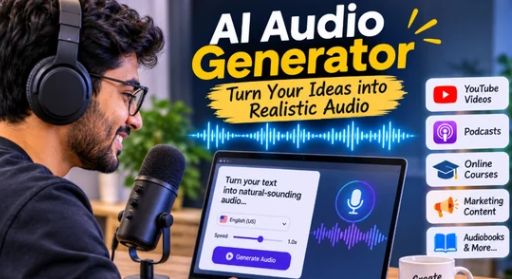
You paste your script into the tool, select a voice you like, adjust a few settings, and generate the audio. That’s pretty much it.
The interesting part is how natural some of these voices have become. They can include pauses, changes in speaking speed, and different tones that make the audio feel more like an actual conversation.
Some tools also support multiple languages and accents, which is particularly helpful if you want to reach people in different parts of the world.
Of course, the results depend on the tool you choose and the quality of your written script.
How Does It Actually Work?
You might think that creating AI-generated audio requires technical knowledge, but most platforms keep things surprisingly simple.
Here’s what the process usually looks like.
Start with your text.
First, write whatever you want the AI to say. It could be a video script, a blog post, a product description, or even a short announcement.
Pick a voice that feels right.
This is probably the most interesting part. You can explore different voices and choose one that matches your content. Some sound friendly and relaxed, while others have a more professional delivery.
Make a few adjustments.
Depending on the platform, you may be able to change the speaking speed, pronunciation, pauses, and tone. Small adjustments can make a noticeable difference.
Generate and listen.
Once everything looks good, generate your audio. Before using it, listen to the complete recording. If something doesn’t sound right, you can edit your text and try again.
That’s one of the biggest advantages: you can experiment without having to record everything from scratch.
Why Are More People Using AI Audio Generators?
There’s a reason these tools are attracting attention. They’re not just interesting pieces of technology; they solve some everyday problems that content creators and businesses face.
It Saves You a Lot of Time
Let’s say you regularly upload videos to YouTube. Recording a voiceover for every video can become tiring, especially when you’re managing scripting, editing, thumbnails, and publishing at the same time.
AI audio tools can take some of that workload off your shoulders.
Instead of spending hours recording and re-recording, you can generate a voiceover in a much shorter time.
You Don’t Need Expensive Equipment
Not everyone has access to a professional microphone or a quiet recording room.
Maybe you work from home, live in a noisy neighbourhood, or simply don’t want to invest money in recording equipment.
An AI audio generator gives you another option. You can create audio using a computer and an internet connection, depending on the platform.
Reaching People in Different Languages Becomes Easier
Here’s something worth considering.
Imagine you’ve created a useful video in English, but you also want people who speak Hindi or Spanish to enjoy it.
Recording every version manually could take a lot of effort. AI-powered audio tools can help you produce versions in different supported languages.
This makes it easier to share your content with a broader audience.
You Can Maintain a Consistent Voice
If you’re creating content regularly, consistency matters.
Using the same AI voice across multiple projects can help your videos, tutorials, and presentations maintain a familiar sound.
Your audience gets used to the voice, and your content develops a more consistent identity.
Where Can You Use AI-Generated Audio?
One thing I find interesting about AI audio technology is that it isn’t limited to professional content creators. There are plenty of everyday situations where it can be useful.
YouTube and social media: If you create educational videos, tutorials, product reviews, or storytelling content, AI-generated voiceovers can help you publish without recording every script yourself.
Podcasts: AI voices can be useful for introductions, short announcements, summaries, and other supporting audio. For personal interviews and conversations, however, a real human voice can still make a big difference.
Online courses: Teachers and course creators can turn written lessons into audio, giving students another way to learn. Some people understand information better when they listen rather than read.
Business presentations: Need to explain a product or introduce a service? A clear AI voiceover can help make your presentation more engaging.
Audiobooks: Writers can experiment with turning their stories into audio experiences. This can be a convenient starting point for authors who want to explore audiobook-style content.
The possibilities really depend on your creativity and what you’re trying to achieve.
Is an AI Voice Better Than Recording Your Own Voice?
This is an interesting question, and the honest answer is that neither option is always better.
It depends on the type of content you’re creating.
A real human voice has something special. It carries personality, emotion, natural reactions, and little expressions that make conversations feel genuine.
Think about listening to someone share a personal experience. Their excitement, hesitation, and laughter can make the story more interesting.
AI-generated voices offer a different kind of convenience. They’re useful when you need consistent narration, want to save recording time, or don’t feel comfortable speaking into a microphone.
For many creators, using both is a sensible approach.
You could record your own introduction to make the video feel personal and use an AI-generated voice for the remaining narration.
That way, you get the convenience of AI without losing the human connection.
A Few Tips to Make AI Audio Sound More Natural
Getting good results isn’t just about choosing an impressive voice. Your script matters just as much.
Here are a few things worth trying:
- Write naturally: Imagine you’re explaining something to a friend. Avoid sentences that sound unnecessarily formal or complicated.
- Keep sentences reasonably short: Long sentences can sometimes sound awkward when spoken aloud.
- Pay attention to punctuation: A comma or full stop can help create a more natural rhythm.
- Choose voices carefully: A friendly voice might work for a tutorial, while a calm and professional voice could suit a business presentation.
- Check difficult words: Names, abbreviations, and technical terms may need pronunciation adjustments.
- Listen before publishing: Don’t simply generate the audio and upload it. Give it a proper listen first.
One small suggestion: read your script aloud before putting it into the tool. If it sounds natural when you speak it, there’s a better chance it will work well as a voiceover.
What Should You Look for When Choosing an AI Audio Tool?
With so many options available, choosing an AI audio generator can feel a little confusing.
Rather than picking the first tool you come across, think about what you actually need.
Start with voice quality. Does the voice sound natural, or does it feel like someone is reading a list of instructions?
Next, check the available languages and accents. This becomes important if you plan to create content for different audiences.
It’s also worth looking at customization options. Features such as speed control, pronunciation editing, and voice styles can make your work easier.
Don’t forget pricing. Some platforms offer free usage with limitations, while others charge for longer recordings, premium voices, or commercial features.
And if you’re planning to use generated audio for business or monetized content, always check the platform’s commercial licensing rules.
What Does the Future Look Like for AI Audio?
AI audio technology has already come a long way, and it’s exciting to think about where it might go next.
Voices are becoming more expressive, language support is improving, and creators are getting more control over how their audio sounds.
We may see tools that can better understand the mood of a script and adjust their delivery accordingly. Imagine writing a funny story and having the voice naturally reflect its humour, or creating an educational lesson with a calm and reassuring delivery.
But there’s one thing worth remembering: technology doesn’t automatically make content interesting.
A beautifully generated voice won’t save a boring script. People still want useful information, interesting stories, and content that feels genuine.
That’s why creativity and human input will continue to matter.
Final Thoughts
An AI audio generator isn’t just another technology trend. It’s a practical tool that can make audio creation easier for people who don’t have access to professional recording equipment or the time to record everything themselves.
Whether you’re a YouTube creator, student, business owner, writer, or someone curious about AI, there’s plenty of room to experiment.
Start with a short piece of text. Try a few different voices, adjust the settings, and see what works best.
You might be surprised by the results.
And remember, the goal isn’t to make everything sound artificial or overly polished. It’s to communicate your ideas in a way that people enjoy listening to.
Use AI for the convenience, bring your own creativity to the process, and never lose the human touch that makes good content memorable.